Every window, under control
Fast, precise command of your workspace — from a single shortcut to a full saved layout across every display.
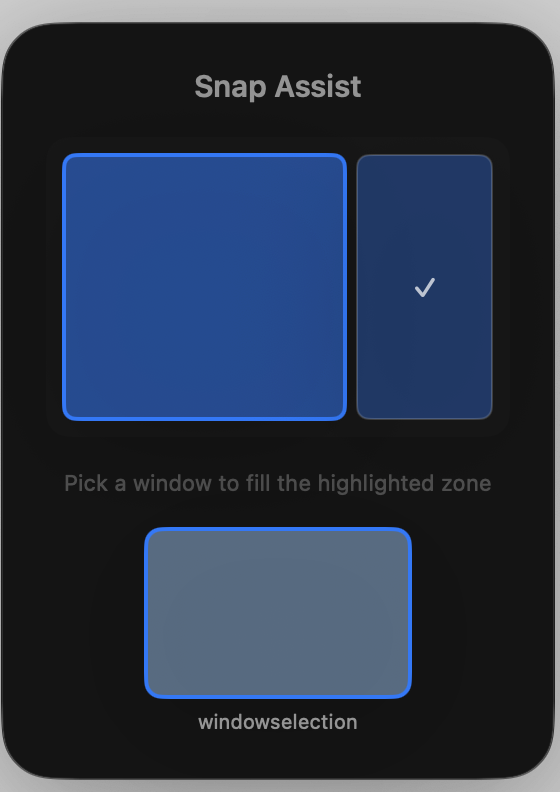
Smart window snapping
Place any window into a common position without dragging pixels. Nudge a window towards an edge and iToolMac previews the target zone, then snaps it cleanly into place when you let go — or just double-click a title bar to fill the screen, and double-click again to drop it back to where it was.
- Halves, quarters, thirds and two-thirds out of the box
- Live preview overlay as you drag
- Double-click a title bar to fill the screen — again to restore it
- Snap by dragging, by menu, or by shortcut

Custom layouts
Design layouts for the way you work — a coding layout with the editor and terminal side by side, a writing layout with a single centred column, or a meeting layout that keeps notes in view.
- Save any arrangement as a reusable layout
- Recall a full layout with one shortcut
- Presets for coding, design, writing and multitasking
Keyboard-first control
Every window action has a shortcut — snap, fill, centre — and a ⌘Tab-style Window Switcher moves between windows by live preview. Your hands never have to leave the keyboard.
- Snap and centre with a keystroke
- ⌘Tab Window Switcher with live previews
- Rebind any shortcut to taste
Editor
Browser
Terminal
Design
Notes
Multi-monitor support
Send a window to the next screen, or tile the same layout across two displays. iToolMac reads your actual arrangement, so ‘move right’ always means the display on your right.
- Throw windows between displays by shortcut
- Layouts that span multiple monitors
- Respects each display's resolution and scale
Display 1
Display 2
Window centring & resizing
Bring a window back to the centre at a tidy, repeatable size, or resize to exact dimensions when a screenshot or recording needs to be just right.
- One-shortcut centring
- Resize to exact width and height
- Grow and shrink in even steps
System monitor
Six live gauges sit in the menu bar at all times — CPU, GPU, memory, disk, network and power — with a full dashboard and per-process breakdown one click away.
- Live CPU, GPU and memory rings in the menu bar
- Per-core load, disk throughput and network speed
- Per-process breakdown for the biggest consumers
- Battery draw and charge in the same view
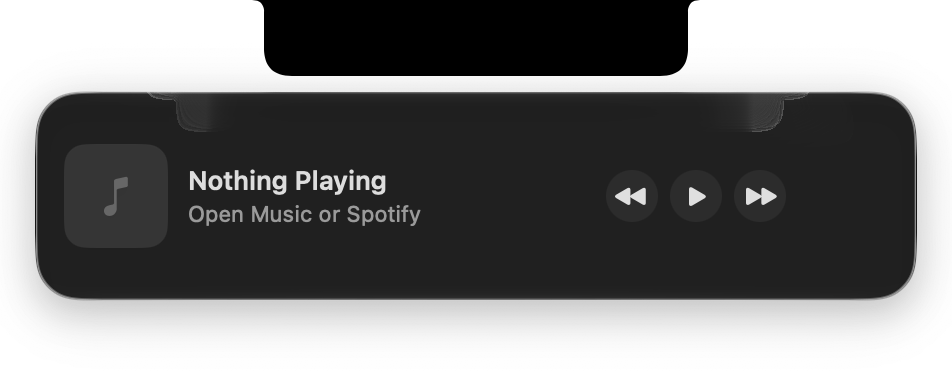
Notch music player
A tidy player tucked under the notch. Control Apple Music or Spotify — play, pause and skip — with a per-app volume each player remembers, plus a battery pop-out when you plug in or drop to 20% / 10%.
- Play, pause and skip right from the notch
- Works with Apple Music and Spotify
- Per-player volume, remembered per app
- Battery pop-out for charge and low-power warnings
Clipboard history
iToolMac keeps your last 40 copies. Hold ⌘V anywhere and your history appears at the cursor — nothing pastes until you pick.
- Your last 40 copies, searchable from the wand menu
- Hold ⌘V for a paste-at-cursor palette
- ⌥ pastes as plain text, ⌘-click stacks entries
- Pin the snippets you reuse often
Keyboard cleaning
Lock the keyboard before you wipe it down. Nothing gets typed and no shortcuts fire until you slide to turn the keys back on.
- One shortcut locks every key
- Nothing typed, no shortcuts triggered while locked
- Slide to unlock when you're done
The keys are off
Wipe your keyboard — nothing will be typed
Finder & window-switching enhancements
A handful of small native fixes that change how the whole Mac feels — not just iToolMac's own windows.
- Backspace moves selected files to the Trash in Finder
- Smarter ⌘Tab — real windows only, most-recently-used first
- Minimised and full-screen windows included, phantoms filtered out
Personal preferences
Make iToolMac your own. Set the gaps between tiled windows, add margins around the screen edge, choose how fast windows animate, and rebind any shortcut.
- Adjustable gaps and outer margins
- Animation speed from instant to smooth
- Rebind every shortcut to taste
Launch at login
Show snap preview
Highlight the target zone while dragging
Gap between windows
8 px
Outer margin
12 px
Animation speed
Smooth
Ready to tidy your whole Mac?
Download iToolMac and set up your first layout in a couple of minutes.
macOS 26 Tahoe or later · Apple silicon & Intel
Try free for 3 days, then redeem a licence key. No account required. · £0.79 one-time purchase — one licence key, yours to keep.